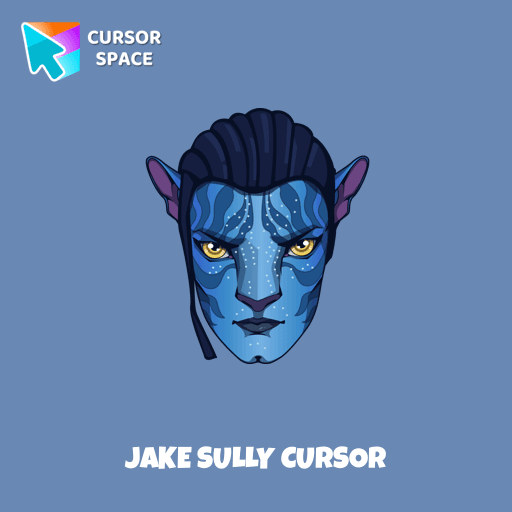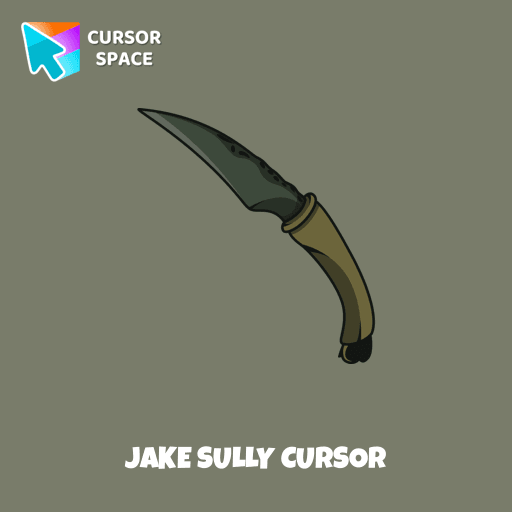

Jake Sully Cursor

Jake Sully cursor cursor pack
Preview Jake Sully cursor custom cursor pack
Jake Sully cursor arrow cursor
Jake Sully cursor pointer cursor

Description

Jake Sully is the protagonist of the first Avatar film and a major character in Avatar: The Way of Water. Jake defects to the Na'vi species after witnessing the RDA's greed and brutality against the Na'vi. Meet our custom cursor with Jake from Avatar for The Wishes custom cursors collection for Chrome.

What's included in the package

  • Default Cursor
  • Pointer (Hand)

How to install a custom cursor pack Jake Sully Cursor

  1. Install the Cursor Space extension for Chrome or Cursor Space for Edge in your browser.

  2. On this page, click "Add this cursor pack to the extension".

  3. Open the extension and go to the Packs tab.

  4. Find the custom cursor pack "Jake Sully cursor" and click it.

  5. Enjoy!

Ready to install?

Get this cursor pack and thousands of others by installing our extension. It's fast and free!

About this cursor pack

Jake Sully Cursor is a themed cursor pack you can add to your browser to personalize your pointer across common cursor states (default and pointer). Use it for everyday browsing, streaming, studying, or gaming-anywhere you want your cursor to match your vibe.

Instant preview

See how the cursors look before installing.

Easy install

Add the pack to the extension in a few clicks.

Works in your browser

Designed for Chrome and Edge via the extension.

FAQ

Quick answers to common questions about cursor packs, collections, and installation.

Do I need an extension?

Yes. To apply cursor packs in Chrome or Edge, install the Cursor Space extension and add this pack to it.

Which browsers are supported?

Cursor packs are designed for Chromium browsers like Chrome and Microsoft Edge.

How do I switch back to the default cursor?

Open the extension, choose another pack or disable the current one to return to your default cursor.

Popular cursors today

Custom cursor and packs - neon, anime, pixel art. Quickly add to Chrome and Microsoft Edge for free

  • TOP 1
    Tartaglia cursor

    Tartaglia cursor

    (68)
    Free

    Our Genshin Impact custom cursors collection for Chrome will allow you to use the Tartaglia character as a custom cursor for the mouse and pointer.

  • TOP 2
    Monsters Pixel cursor

    Monsters Pixel cursor

    (139)
    Free

    Cute custom cursor with Monsters, Inc includes a mouse cursor in the form of Mike Wazowski and a hover pointer with James P. Sullivan.

  • TOP 3
    Undertale Monster Kid cursor

    Undertale Monster Kid cursor

    (10)
    Free

    Add Monster Kid cursor in the collection of custom cursors with characters from Undertale and Deltarune for the browser.

  • The Purple Cursor

    The Purple Cursor

    (112)
    Free

    Enhance your Chrome browsing with Custom Cursor Space, a sleek purple cursor crafted to complement your style and elevate your online experience.

  • Mix cursor

    Mix cursor

    (24)
    Free

    Enhance your interface with the Mix custom cursor set- a charming and stylish choice that adds uniqueness and enjoyment to your browsing experience.

  • Knight cursor

    Knight cursor

    (143)
    Free

    The Knight custom cursor is a cute and stylish mouse pointer. The Cursors collection for Chrome is ideal for fans of unique cursors.

  • Arrow cursor

    Arrow cursor

    (141)
    Free

    Enhance your browsing with The Arrow – a custom cursor that’s cute, unique, and full of charm. Say goodbye to boring cursors and add a playful touch to your screen!

  • Thanos cursor

    Thanos cursor

    (215)
    Free

    The Thanos custom cursor for Google Chrome brings the power of the Mad Titan to your screen. Embrace strength and cosmic animations with this unique design.

  • Pineapple Texture cursor

    Pineapple Texture cursor

    (161)
    Free

    Enjoy a tropical touch with the Pineapple custom cursor for Google Chrome. Bring sunny vibes to your browsing with this fun and refreshing design.

  • Naruto Uzumaki cursor

    Naruto Uzumaki cursor

    (214)
    Free

    The Naruto Uzumaki custom cursor for Google Chrome lets fans personalize their browsing experience with an iconic mouse pointer featuring Naruto himself.

  • Mummy Texture cursor

    Mummy Texture cursor

    (151)
    Free

    Get into the Halloween spirit with the Mummy Texture custom cursor for Google Chrome. Add a festive touch to your browsing with this fun and spooky design.

  • Mars Texture cursor

    Mars Texture cursor

    (172)
    Free

    Upgrade your browsing with a custom cursor inspired by Mars from our Texture collection. Discover the ideal custom cursor for Google Chrome and explore in style.

Collection hits

Installation leaders from "Avatar: Cursor Collection": free packs, neon/anime/pixel art, quick add to Chrome and Edge.

  • TOP 1
    Messi and World Cup cursor

    Messi and World Cup cursor

    (62)
    Free

    Meet our custom cursor with Messi and World Cup in The Wishes custom cursors collection for Chrome.

  • TOP 2
    Wednesday Addams and Crow cursor

    Wednesday Addams and Crow cursor

    (43)
    Free

    Wednesday custom cursor for a mouse is good fan art to decorate your browsing.

  • TOP 3
    Ángel Di María cursor

    Ángel Di María cursor

    (25)
    Free

    Meet our custom cursor with Ángel Di María in The Wishes custom cursors collection for Chrome.

  • KEL cursor

    KEL cursor

    (11)
    Free

    Add KEL cursor in the collection of custom cursors with avengers for the browser.

Install Cursor Space - A Collection of Custom Cursors for Chrome & Edge

Add packs instantly and unlock access to thousands of cursors: neon, anime, pixel-art, and more. Fast, safe, and free.

  • Free cursor packs
  • HD/HiDPI & animated icons
  • Quick browser installation

Cursor Space is an extension for changing your mouse cursor in Chrome and Edge browsers: themed collections, HiDPI icons, neon, animated, and pixel cursors, with quick installation.

Install Extension

To use packs with one click, you need our free browser extension. Install it and come back!